Why Your Meta Ads Get Clicks but No Sales
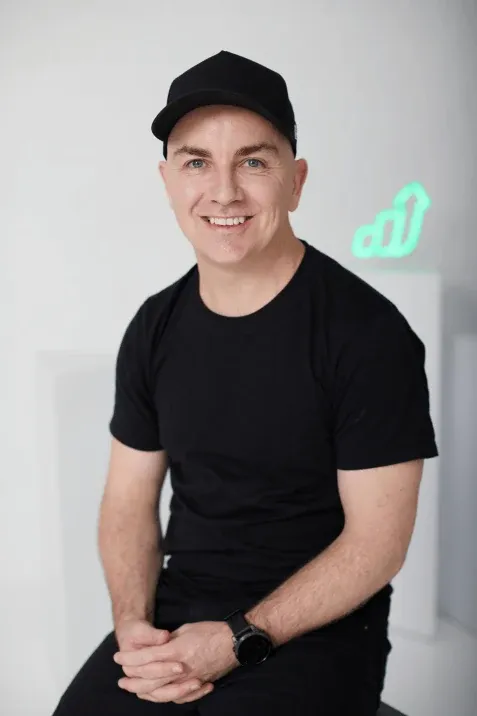 By Brendan Gillen, Founder & AI Specialist
Published · Updated · 5 min read
In short
Meta ad getting clicks but no sales? Check outbound click-through rate before revenue. Often the ad answers its own question, so people never leave Facebook. Here is how we diagnosed one ad on a live coaching call and fixed it with curiosity, a matching landing page and the comments.
Watch the video version of this guide on YouTube (opens in a new tab).
If your Meta ad gets plenty of clicks but no sales, check its outbound click-through rate before you look at revenue. A high click-through rate with a low outbound click-through rate means people are engaging with the ad but not leaving Facebook or Instagram to visit your store. The usual cause is an ad that answers its own question, so there is no reason to click. Fix it by creating curiosity, sending people to a page that matches the ad, and using your comments to find new angles.
This is the written version of a live coaching call from October 2026. A member was nine days into a campaign with nine ads. Meta had put almost all the spend on one top-of-funnel ad for a golf training product, and sales weren't coming. Here is how we diagnosed it, step by step.
What should you check first when your Meta ads aren't selling?
Meta has one job: drive traffic to your store. So when I analyse an account, revenue is the last thing I look at. First I check whether Meta is doing that job, and whether the ads are behaving the way I want.
The quickest way to check is to add outbound click-through rate as a column in Ads Manager, next to the standard click-through rate. On this call, I guessed the outbound rate would be much lower than the overall rate. It was.
What is the difference between CTR and outbound CTR?
| Metric | What counts as a click | What it tells you |
|---|---|---|
| CTR (all) | Any click on the ad: the image or video, the profile photo, likes, comments, shares or the link | How engaging the ad is on the platform |
| Outbound CTR | Only clicks that take people off Facebook or Instagram to your site | Whether the ad is doing Meta's job: sending traffic to your store |
Engagement isn't bad. Likes, comments and shares are signals Meta loves, because good content keeps people on the platform. This ad clearly helped golfers, so Meta kept showing it to more of them. Its overall CTR was 8%, but only about half of those clicks left Meta for the store.
The engagement also made the ad cheaper to run. Its CPM and cost per click were about half those of the worst ad in the account. The better your ad, and the more engagement it earns, the cheaper it becomes to advertise.
Why does an ad get engagement but no click-throughs?
When we opened the ad, the reason was obvious. The creative asked a question: most golfers only look at the ball. Then the primary text answered it straight away: the problem isn't your swing, it's your setup. The reader's curiosity was satisfied, so there was nowhere left to go.
The fix is to keep the curiosity open and make the answer sit behind the click:
- Tease, don't answer. Keep the hook, but don't give away the answer in the primary text.
- Put a link in the primary text, with a reason to click, such as "Click here to see the five steps".
- Make the product the answer. People should get the payoff when they land on your page.
Need help writing openers that create curiosity? Use our Meta ads hook ideas guide.
Does your headline match the rest of your ad?
The headline under the creative asked about the worst club in your bag, which had nothing to do with the image or the primary text about looking at the ball. Mixed messages weaken the click. Make the headline continue the same story, for example "We found the secret no one else talks about", so the image, text and headline all pull towards the click.
Where should a curiosity ad send people?
This ad looked educational. It didn't feel salesy, which is exactly why it got attention. Sending those people straight to a product page is too big a jump. A unique product needs more explaining before people are ready to buy.
Send them to an educational page that matches the ad: an advertorial or a "five reasons why" landing page. That's the middle of the funnel, where you explain the problem and why your product solves it.
We do this at Dosed. One of our ads goes to an article titled "The best coffee on your next trip might be a new suitcase". It reads like a news piece. It tells the story of why we pack coffee on every trip, and it doesn't introduce the product until well down the page. It converts extremely well, because the ad looks like an article and the page delivers one.
What should you do with negative comments on your ads?
The comments on this ad pointed out that the product isn't approved by the USGA for tournament play. The member had tried to explain it away. I told him to lean into it instead.
When I was Head of Ecommerce at 2XU, some NBA players wore our compression shorts under their basketball shorts. They weren't approved by the league, so the players were fined $25,000 each time, and they kept wearing them because the performance was worth it. We leaned into that story.
So make a comment-reply style video: "Yes, it's not approved for tournaments, because it works so well it gives you an unfair advantage." Be clear it means not approved for competition play. A repeated objection in your comments is often your best new angle.
What can every store learn from this ad?
This is why I never say ads don't work. Ads always teach you something. This one taught us:
- It earned attention and engagement, which is the hardest part. Keep the hook.
- It didn't drive clicks, because it answered its own question. Create curiosity and add a link.
- The headline didn't match. Keep the whole ad on one message.
- The landing page came too soon. Send educational ads to an educational page.
- The comments held a new angle. Turn the objection into the next ad.
Run your account through the Meta ads checklist to catch the other common problems. If you want a Meta specialist to review your ads with you 1-1 on calls like this one, that's part of the Elite Team.