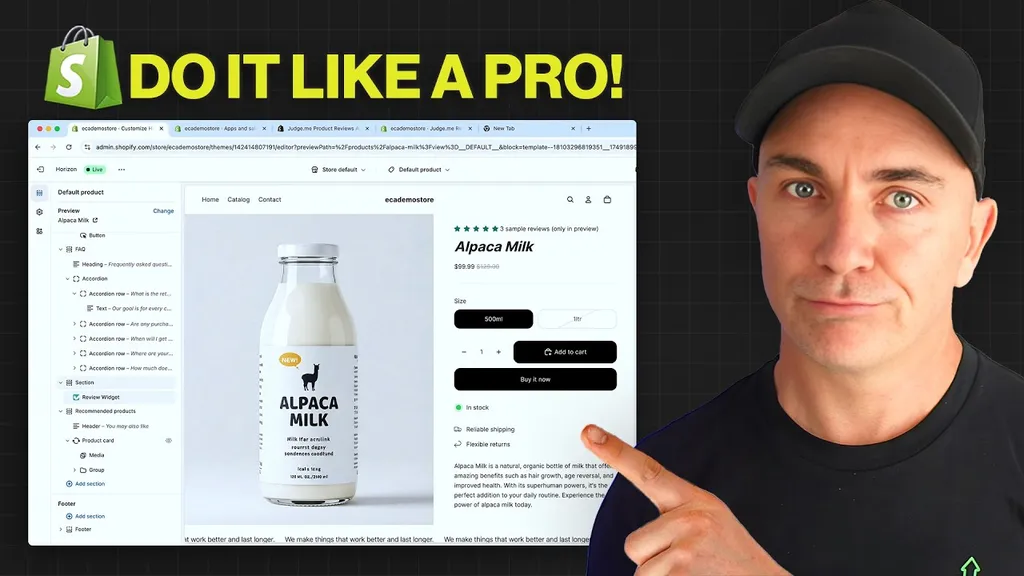
Setting Up Your Shopify Store (Beginners Guide)
 By Brendan Gillen, Founder & AI Specialist
Published · Updated · 3 min read
In short
To set up a Shopify store, create your account, choose a theme, add products with clear photos and descriptions, set your pricing, configure inventory, shipping and payments, then test checkout before launch. Getting these basics right first saves expensive fixes later.
(Beginners Guide)
Get a step-by-step tutorial & checklist on how to setup your Shopify store as a complete beginner in 2024
Sophisticated Shopify Launch: The Comprehensive Shopify Setup Guide
It requires more than just clicking a couple of buttons and uploading products to a Shopify store. It’s a complicated processes that requires particular care to detail, careful setup, and an effective approach. We offer you the Shopify Setup Checklist, an extensive guide that ensures you not only build a store but also set yourself up for success, to help you through this journey.
Become a Shopify user: Your Launchpad
First things first, setup a Shopify account.
Designing a Visually appealing: The Impact of Pictures
In the world of e-commerce, images speak louder than words. Make sure your products jump out through the use of excellent graphics. Display your products in a way that lets customers to view them in entirety.
Strategies for Pricing: Finding the Correct Balance
Establishing prices is a personal endeavour. Find the sweet spot where the value of your items can be provided without blowing above budget. To pick prices that are appealing to the market you are targeting, take costs, its competitors, as well as perceived value into account.
Learning the Basics of Inventory Management
Stay mindful of the risks of excessive stock or overselling. Manage an organised inventory on Shopify to ensure precise tracking and speedy replenishment.
Shipping & Delivery Details
Shipping processes must run efficiently. Decide on the delivery plan: will you use a calculated approach determined by distance, flat costs, or free shipping? Make sure customers are informed clearly about delivery times.
Alternatives: Presenting Options, Simply
Use variants if your products are available in an assortment of colours, sizes, or styles to enhance the customer experience. This assures easy navigation and an effortless shopping experience.
Arranging Products in Order for Easy Scrolling
A unorganised store is an unpleasant thing for customers. Clearly group your products into collections and categories to make buying simple and enjoyable.
Establish Your Territory: Setting Up a Personalised Domain
Your digital possession is your domain. Add a custom domain to make a lasting impression. This is a crucial stage in branding and audience trust-building.
Addition of Product: Your products, your reputation
Include your products in collections with detailed descriptions and visually pleasing pictures. All products should have an explanation that lures customers in and motivates them to buy.
- Remodelling Your Shopify Theme
- The appearance of your store displays matters.
- I recommends following these steps in order to customise your Shopify theme:
- Choose a theme for Shopify: Choose a theme that compliments your brand and features a user-friendly interface.
- Customisation of Collection Pages: Let your collection pages standout out by highlighting your products.
- Customise the Product Page: Modify the product page better for a smooth browsing experience.
- Personalising on Other Pages: To establish an overall brand image, make sure all pages are consistent.
- Taking the Last Bite: Store Data and Metadata
- Check that your meta information and store details are correct:
- Meta Title: Making it search engine friendly.
- Name of Store: Make it jump out.
- Providing Details: Build an engaging social media image and meta description.
- Specify your shipping location for the shipping origin.
Streamlining Transactions using Shopify Plans and Methods of Payment
Select an appropriate Shopify plan and the preferred payment method to finish creating your account. Explore different ways to pay in order to meet a range of client preferences.
Establishing Your Online Store: From Publishing to Account Protection
After confirming your theme and eliminating any password protection, click “Publish.” Visitors can now see your store as it is now live.
Getting the Word Out there: Acquiring Your First Customers
familiarise everyone with the big launch. To get your business started, utilise email, social media, and word-of-mouth advertising.
Get my Shopify Set Up Checklist by downloading it. This useful tool streamlines the necessary steps and offers an easily accessible reference for easy execution.
With this checklist in hand, start your Shopify adventure.
The Shopify Setup Checklist
Get a step-by-step checklist on how to setup your Shopify store as a complete beginner in 2024
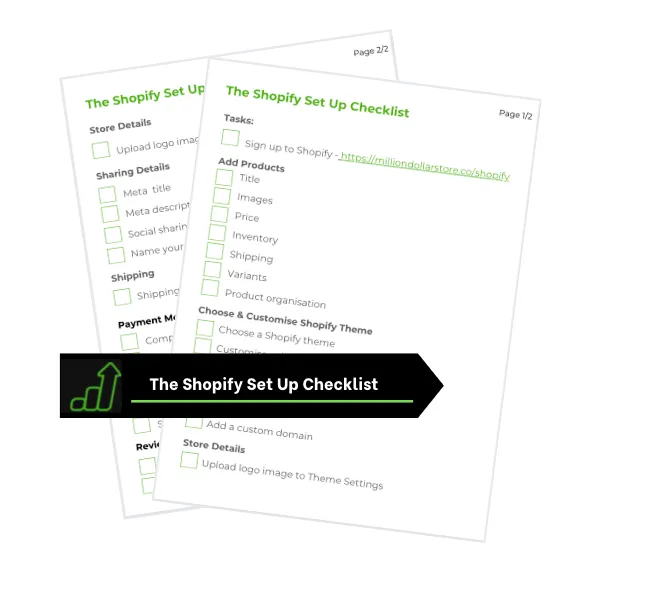
The Shopify Setup Checklist helps to;
✅ Set your store up perfectly to get sales
By completing key tasks to get your Shopify store set up the right way
✅ Have your store set up in under 30 minutes
With a step-by-step breakdown of everything you need to do
✅ Start selling right away
With all the back end tasks completed and ready for your first sale
Copyright © Million Dollar Store