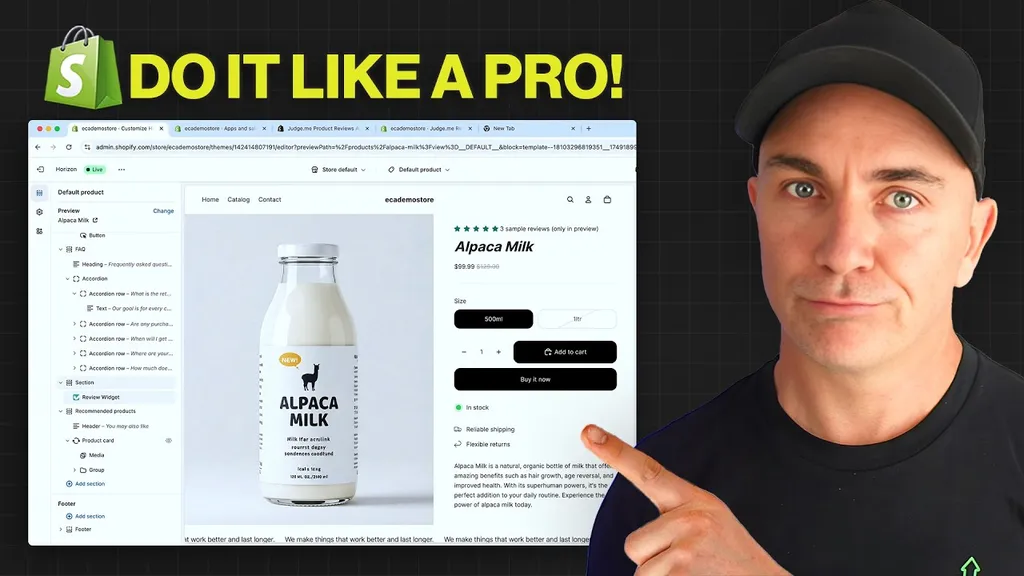
Shopify Spring Editions 2026: The Updates That Matter
 By Brendan Gillen, Founder & AI Specialist
Published · Updated · 4 min read
In short
Of the 150+ updates in Shopify Spring Editions 2026, six change how you run a store: Sidekick now talks to apps like Klaviyo, Sidekick edits themes from your phone, an AI sales associate in Inbox, Shopify Agentic to list products inside ChatGPT, free A/B testing of themes under Rollouts, and the Shopify AI Toolkit that lets Claude audit and change your store.
Watch the video version of this guide on YouTube (opens in a new tab).
Shopify Spring Editions 2026 shipped more than 150 updates, and the direction is no longer subtle: Shopify is becoming an AI-powered commerce platform end to end. Customer service, marketing, theme editing and the way customers shop are all getting AI built in. I spent a weekend going through every update. These are the ones that change how you run a store, ranked by impact, with the biggest last.
1. Sidekick now talks to your other apps
Sidekick used to answer questions about Shopify data only. It can now connect to apps. Ask "what were my last three Klaviyo campaigns?" and it connects to Klaviyo, pulls them in and lets you keep interrogating. Ask "what are my last three Judge.me reviews?" and it does the same. Not every app supports it yet, but Shopify has opened the door, so expect your favourite apps to follow. If one you rely on has not, ask the developer.
The bigger picture: Sidekick, Flow and apps talking to each other inside one assistant, so you stop jumping between tabs.
2. Sidekick on your phone (and your watch)
There is a Sidekick app for Apple Watch. More useful day to day, the Shopify mobile app now lets Sidekick edit your theme. Open the theme editor on your phone and type "change the announcement bar to yellow" or "add a countdown timer to the announcement bar", and it makes the change, creating the element if it does not exist. Theme edits from a sun lounger are now a real option.
3. An AI sales associate in Shopify Inbox
Shopify had Sidekick for merchants but never a good AI chat for customers; most of us paid for a third-party app. That is changing. In the free Shopify Inbox app there is now an "AI sales associate" setting. Turn the agent on and, as it rolls out to your store, customers can ask questions and buy directly in chat. Enable it now so it activates the moment it reaches you.
4. Shopify Agentic: your products inside ChatGPT, Copilot and Gemini
Shopify Agentic categorises every product in your catalogue and feeds it to the AI assistants people are increasingly shopping in. When someone asks ChatGPT for a product like yours, yours can surface, and they can buy it. Academy members who set this up a few weeks before Editions were already seeing orders from ChatGPT land in Shopify. Install the Shopify Agentic app and configure it; I have a separate step-by-step video on the setup.
5. A/B testing built into Shopify (Rollouts)
This one surprised me. Klaviyo, Meta and Google have had split testing for years and Shopify never did, so we paid for apps. Now it is free, under Markets, Rollouts.
- Duplicate your live theme and make one change on the copy: a button colour, a section moved, a different hero.
- Create a rollout, name it after the change ("moved UGC below reviews"), choose Theme, and pick the copy as the challenger. You can also test checkout and account pages.
- Set the split. I run 50/50 so every visitor sees one or the other. Launch immediately, set an end date, enable.
- Run one or two tests at a time, never ten, so you know what caused the result. Over the following days the rollout reports whether the change lifted conversion rate or order value.
This is conversion rate optimisation inside Shopify, free, without an app.
6. The Shopify AI Toolkit (this is the big one)
The AI Toolkit lets your preferred AI model talk directly to Shopify. I use it with Claude inside Visual Studio Code, which gives Claude access to almost everything in the store, not just what the admin exposes. It comes with a set of Shopify skills: admin, customers, functions, Liquid for themes and more.
The demo in the video is a single prompt: "Do a full SEO audit of my Shopify store." Claude crawled the store, returned a summary, listed technical issues (missing sitemaps, a few fixes) and wrote instructions for each. That is the work you used to pay an agency or an SEO specialist for.
Then the part that is genuinely new: you can say "implement these changes" and it will. Do not do that blindly. Review each recommendation, approve one step at a time, and let AI do the 80% while you keep the 20% that needs judgment. I have seen a store pulled apart by someone who typed "fix my store" and walked away.
Setup is covered in our AI Toolkit guide, and theme building in the Claude Code theme guide.
What to do this week
- Turn on the AI sales associate in Inbox.
- Install and configure Shopify Agentic.
- Connect Klaviyo (and your reviews app) to Sidekick.
- Launch one Rollouts test on your product page.
- Install the AI Toolkit and run an SEO audit.
Inside the Academy we have been building skills on top of the toolkit for product pages, blogs and more. That is what EcomOS installs for members, with a Growth Advisor to keep the 20% human.