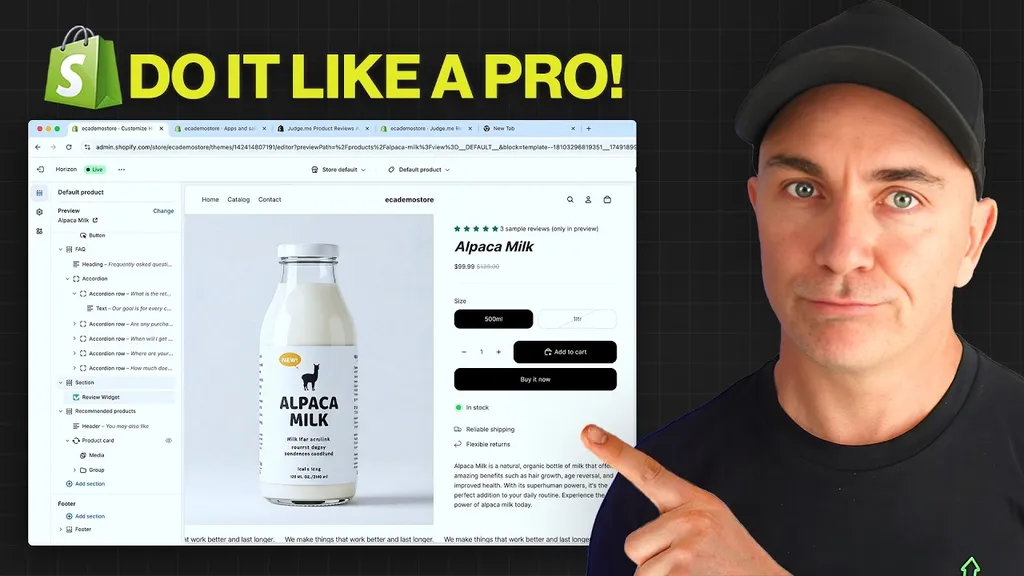
Shopify Fall Editions 2026: 6 Updates That Matter
 By Brendan Gillen, Founder & AI Specialist
Published · Updated · 6 min read
In short
Shopify Fall Editions 2026 has 150+ updates. Six matter most: multi-step Sidekick, Rollouts, the knowledge base, the Inbox agent, AI checkout and Canvas. Here is what each one does, tested on a real store.
Watch the video version of this guide on YouTube (opens in a new tab).
Shopify Fall Editions 2026 has more than 150 updates, and six of them matter most for store owners: Sidekick now completes multi-step jobs from one prompt, Rollouts schedule launches and sales, the Agentic knowledge base tells AI about your store, the Shopify Inbox agent answers customers for you, Agentic checkout lets people buy inside AI chats, and Shopify Canvas designs a whole store from a prompt. Together they move Shopify towards a world where AI does the work and customers may never visit your website.
This is the written version of the video above, published in November 2026. I spent 26 hours going through every update and tested my top six inside my own store, so screens and features are as they were on that date.
What is in Shopify Fall Editions 2026?
Shopify releases its updates twice a year as Editions. This one is called The Exponential, and the Shopify Editions page lists every update. Almost all of it leans into AI and AI agents: how you run the store, and how your customers buy from you.
It reminds me of what happened to Google when ChatGPT arrived. People stopped searching and started asking. These updates make the same shift possible for shopping, where people ask an AI to find and buy a product instead of visiting a store. Here are the six updates I would learn first.
What can the new Sidekick do from one prompt?
Until now, Sidekick was a chatbot you had to keep prompting. It can now plan and complete several steps from a single prompt, a lot like Claude Cowork. I tested it with this:
"Research what is trending right now in coffee concentrate. Then create a banner for a collection page, list all my products inside that collection, and create a COFFEE20 discount code that applies to those products only."
In one run it did the research, generated a red and white banner, built a collection with 35 products, and created the COFFEE20 code for that collection only. Then it walked me through each change:
- Click Work with Sidekick and open the chat on the side of the screen.
- Give it the whole job in one prompt.
- When it finishes, click Start review and check the banner, the collection and the discount.
- Click Publish all changes only when you are happy with all of it.
A month ago I had a person make the banner in Canva, build the collection and set up the discount. Now one prompt does it, with me approving at the end.
How do Shopify Rollouts schedule a launch or sale?
Rollouts let you build a version of your store, then schedule it to go live. No more staying up until midnight to push a Black Friday theme live.
- Go to Markets, then Rollouts, and click Create rollout.
- Name it and choose the type: a launch (such as a new product) or an event (such as Black Friday).
- Set the start date, plus an end date if the changes should come down again.
- Click Add changes. You can turn catalogs on or off, edit checkout and accounts, add or remove discounts, and, the big one, publish a different theme at that date and time.
- Choose the audience. You can split traffic, allocate a share of it, or limit the rollout to certain markets or customers.
You can even build the new theme with Sidekick, then schedule it with Rollouts.
What is the Shopify Agentic knowledge base?
Agentic is Shopify's new sales channel, where AI agents can find and buy from your store. The knowledge base is where you tell those AI channels about your business. AI already pulls information from your store and from around the web. This is the part you control.
- Click Agentic in the admin, then Knowledge base.
- Review what AI has already worked out from its scan: your description, brands and products. It starts unpublished.
- Fix anything wrong, then publish and save it.
- Fill out the frequently asked questions. Click Add fact for each one.
Don't skip the FAQs. People ask AI questions, so the store that answers those questions clearly becomes the authority. Use AI to find what people actually ask about your product, then add each question and answer here. If you want to go further, read our guide to writing content that ranks in AI search.
How does the new Shopify Inbox agent answer customers?
The Shopify Inbox is now a smarter storefront agent that answers customers without a person. It can recommend products, start checkout from the chat, and hand over to your team when needed.
- Go to Sales channels and search for Inbox. Install it if you don't have it.
- Let Sidekick create question buttons for your store. They match your FAQs, because the questions people search for are the same ones they ask in chat.
- Train the agent on your tone of voice and give it a persona.
- Add your team's hours so it knows when a human can step in.
- Test it with practice conversations before it talks to real customers, then set up instant answers.
If you don't have live chat, or nobody watches it all day, this is worth trying. If you would rather answer emails with Claude, here is how I trained Claude to answer my Shopify inbox.
Can customers buy your products inside ChatGPT or Claude?
Yes, and this is the update that shows where ecommerce is going. Agentic connects to AI platforms such as ChatGPT, Grok and Claude, so the AI can find a product and buy it for the customer.
In my test I asked Claude to use the Shop app to find the best coffee concentrate and buy it for me. It searched Shopify catalogs, found a competitor first, and when I asked for Dosed it created a Shop checkout with my details and address already filled in. I approved the payment without ever visiting the website.
That raises a hard question: if people buy inside an AI chat, what is the job of your website, your brand and your marketing? Nobody knows yet. What is clear is that your product data, knowledge base and FAQs now decide whether an AI recommends you, so get them right first.
What is Shopify Canvas?
Shopify Canvas builds an entire store from a prompt. Go to Online Store, click New next to your themes, and choose a vibe. Canvas reads your products, descriptions and knowledge base, then designs and codes the homepage, collection pages and product pages, with your colours and fonts. If it can't find a suitable image, it creates one.
Designs at this level used to cost $50,000 to $60,000 and then needed coding. To change anything, you just tell Sidekick what you want. I made a full walkthrough of how to design a theme with Shopify Canvas and Sidekick.
Which Fall Editions update should you use first?
- Do it this week: review and publish your Agentic knowledge base, and add your top 10 customer questions as facts. It is free and decides how AI describes you.
- Before your next sale: set it up as a Rollout so it goes live on time without you.
- When you have a free afternoon: test multi-step Sidekick on a real job, and try Canvas on a copy of your theme.
- If chat is a gap: set up the Inbox agent and test it before it goes live.
The tools are getting easier, but deciding what to change and in what order is still the hard part. If you want help building that plan around your own numbers, that is what the Elite Team does with you.